Using WebDeploy to move IIS sites between servers
Using WebDeploy makes the task of moving the configs and the content of the sites between Windows servers much easier. WebDeploy is irreplaceable when you work with a big number of sites (100+).
It is not included in the IIS package and is installed separately. The simplest way is to use Microsoft Web Platform Installer
Find it and install it:
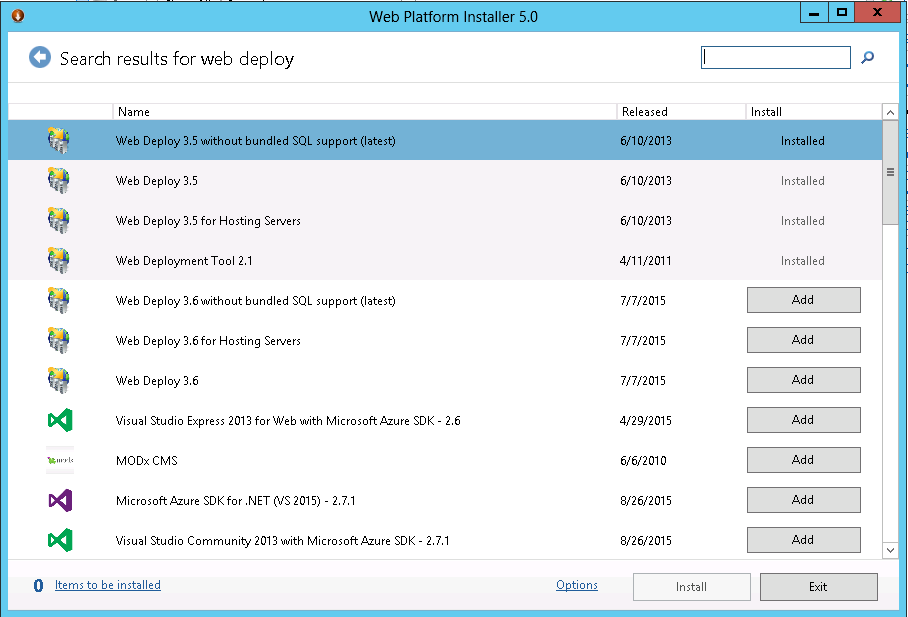
WebDeploy has to be installed on both servers - the old one and the new one. When you connect to the server only the standard admin account has to be used. Other users from the admin group do not work because of a bug that nobody wants/is going to/knows how to fix.
Here is an example of a command that will move all the IIS settings to the new server:
msdeploy.exe -verb:sync -source:webServer, -dest:webServer,computername=**IP_address**,userName=**Administrator**,password=**password** -enableLink:apppoolextension -disableLink:content
The exe itself lives in the C:\Program Files\IIS\Microsoft Web Deploy folder, and in three versions
The -disableLink:content option turns off the content transfer. You can leave it on, but it is more effective and faster to move the site files over the ftp protocol with FileZilla in several parallel threads.
In most cases something will break on the new server after such a transfer, so you have to be as careful as possible when you work with production servers.
Here is a cool table of WebDeploy errors with descriptions:
http://webdeploywiki.com/Common%20Web%20Deploy%20problems%20and%20how%20to%20troubleshoot%20them.ashx