How to Disable php safe_mode in Plesk
First log into Plesk. Go to the subscriptions page and pick the site you need.
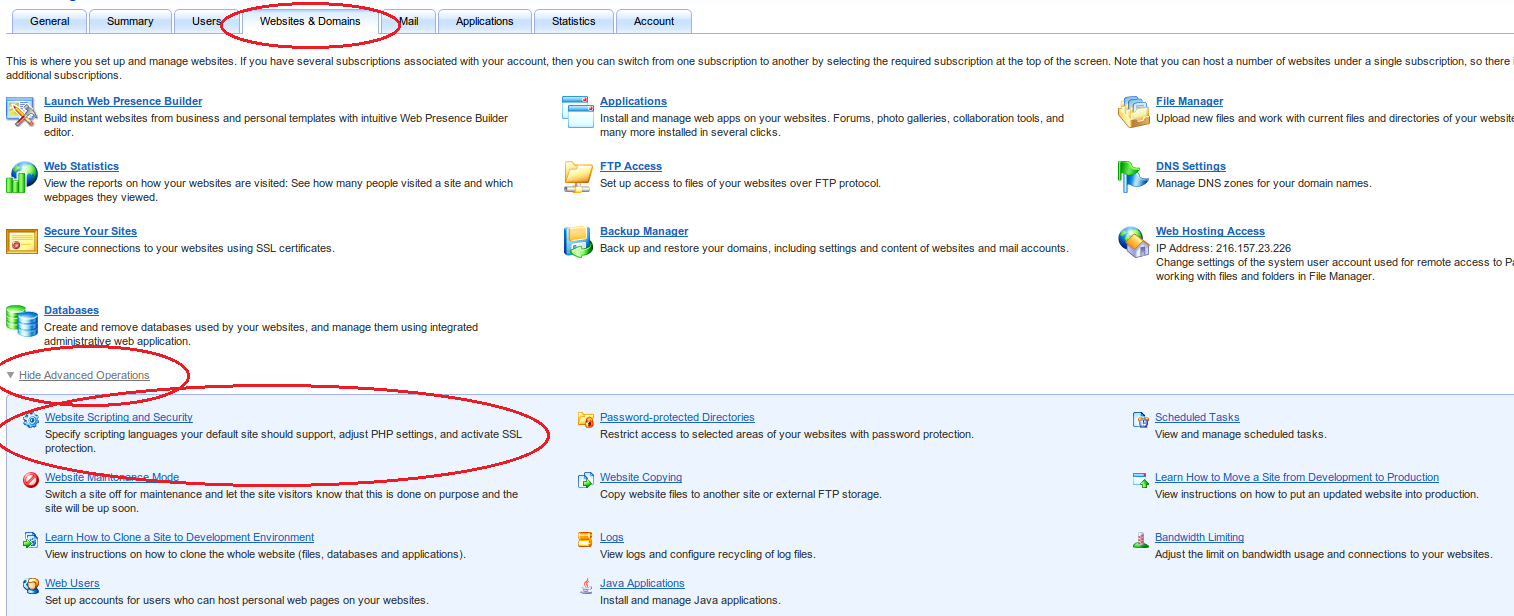
Then on the Websites&Domains tab expand Advanced Operations and pick Website Scripting and Security, as shown on the screenshot (clickable):
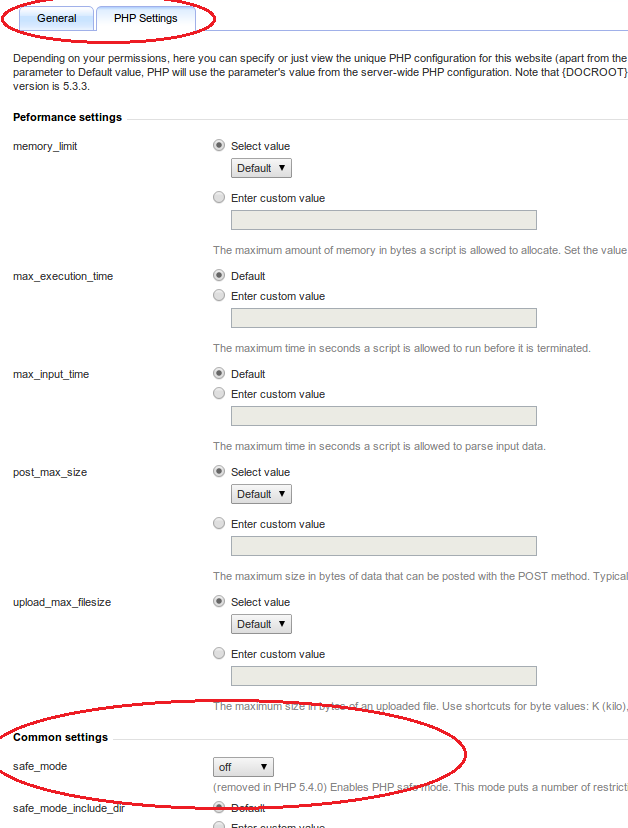
Then go to the Php settings tab, scroll down a bit and pick the value you need from the safe_mode dropdown, as shown in the picture