Making a Backup of All Databases in MSSQL Server 2008
Sometimes you need to make a one-off backup of all databases (all databases) so you can move them somewhere or gather them in a separate storage location.
To back up all the databases you need to:
- Connect to the Database Engine using SQL Management Studio.
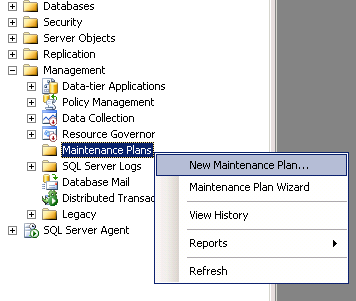
- Expand
Managementin Object Explorer and findMaintenance Plans. - Right click and select
New maintenance plan
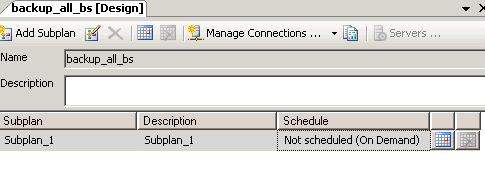
- Give it any name you want (like
backup_all_dbs). - After that a Toolbox should appear right under Object Explorer.
-
Grab the
Backup Database Taskitem and drag it to the right
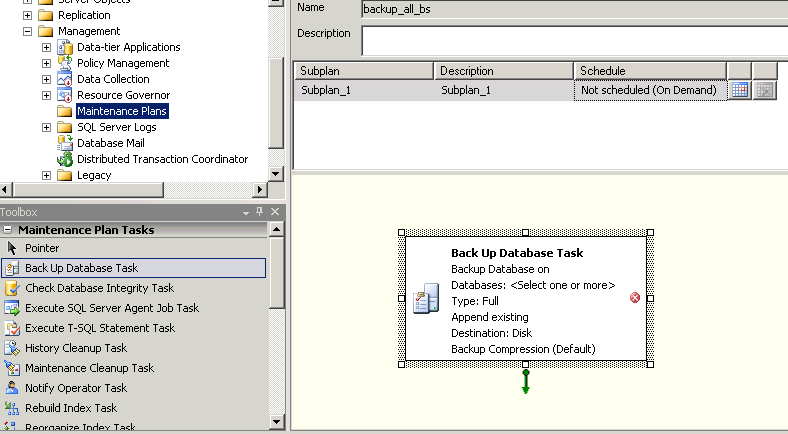
-
A SubPlan with the backup task appeared. Right click on it and pick
Editat the very top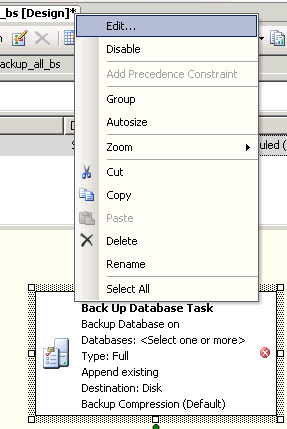
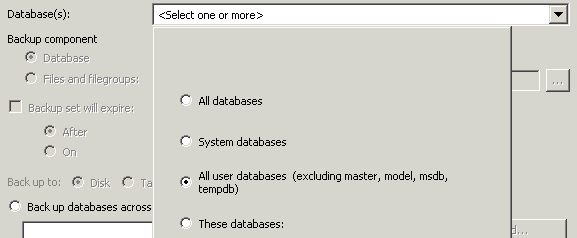
- In the dropdown next to
Databasesyou can pick what exactly to back up. To back up all databases except the system ones, pick the option marked on the screenshot. You can also manually pick which databases you need:
-
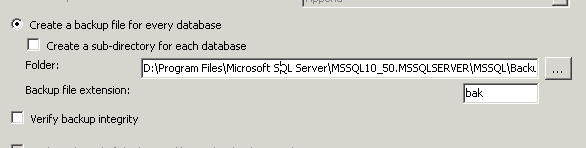
A bit lower you can pick where exactly to save the files. You can create separate directories for each database.
-
Once you’re done - picked the databases to back up and the storage location - click
OKto save, and you land back on the previous screen. Click theSavebutton (the blue floppy disk) at the top and your plan shows up in the list.
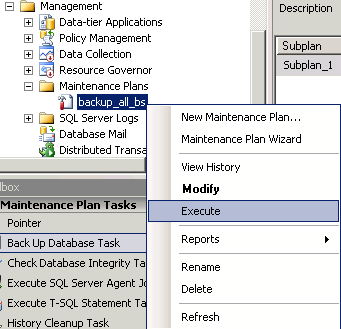
Right now you can already right click on it and select Execute and it’ll go off and run:
- If you need to run this custom backup periodically, find the calendar-looking icon in the designer and click it (last column on the right) - a window will pop up where you can set up a schedule for periodic runs.