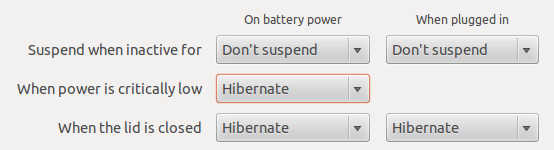
Как включить спящий режим (hibernate) на Linux Ubuntu
На некоторых ноутбуках после установки в Linux Ubuntu (в моем случае 12.04 LTS) отключен спящий режим. Связано это, по видимому, с тем, что такие устройства официально не поддерживаются.
Все таки удобно, когда при закрытии крышки ноутбук уходил в спящий режим, а не выключался.
Вернуть его можно в 3 шага:
- Проверяем или hibernate работает корректно. Для этого в консоли запускаем:
sudo pm-hibernate
Ждем пока девайс уснет. Потом будим его что бы удостовериться что hibernate работает корректно.
Если все ОК - идем дальше.
- Создаем файл
/etc/polkit-1/localauthority/50-local.d/com.ubuntu.enable-hibernate.pklaсо следующим содержанием:
[Re-enable hibernate by default]
Identity=unix-user:*
Action=org.freedesktop.upower.hibernate
ResultActive=yes
- На всякие случай обновляем grub:
sudo update-grub
После перезагрузки hibernate будет доступен. В моем случае она не понадобилась.