Настройка Awstats для Apache
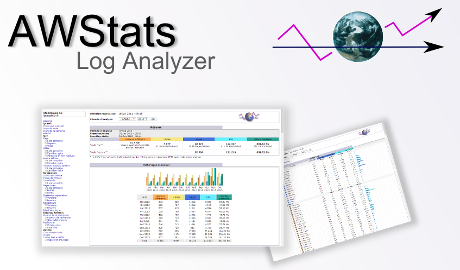
Awstats - бесплатный анализатор логов написанный на Perl. Позволяет строить красивые графики отчетов посещений Вашего сайта, на основе информации из лог файлов.
Настройку буду рассматривать на примере Linux Ubuntu. Для CentOS особого различия нету.
Для начала нужно установить нужные пакеты:
apt-get install awstats libapache2-mod-perl2
После этого Awstats будет установлен в папку /usr/share/awstats а конфигурационные файлы будут находиться в папке /etc/awstats. Сам скрипт парсера лежит в папке /usr/lib/cgi-bin/
Дальше приступаем к настройке парсера:
cp /etc/awstats/awstats.conf /etc/awstats/awstats.my_cool_site.com.conf
Если у Вас на одном сервере находится больше одного сайта, тогда лучше создавать для них отдельные конфигурационные файлы. Дальше приступаем к редактированию ново созданного файла:
/etc/awstats/awstats.my_cool_site.com.conf
Откройте его в Вашем любимом редакторе, затем найдите и отредактируйте следующие значения согласно конфигурации сервера:
LogFile="/var/log/apache2/site_access.log" #path to logfile;
LogFormat=1 #for full statistics;
SiteDomain="my_cool_site.com" #domainname;
HostAliases="www.my_cool_site.com my_cool_site.org" #site aliases
Дальше нужно указать вэб серверу Apache как работать с Awstats. Для начала нужно убедиться что mod_perl загружен. Это можно сделать выполнив следующую команду:
apache2ctl -M |grep perl
или
apachectl -t -D DUMP_MODULES |grep perl
Дальше в папке /etc/apache2/conf.d/ (/etc/httpd/conf.d/) нужно создать файл awstats.conf или убедиться что файл создан корректно.
Важными являются следующие параметры:
Alias /awstatsclasses "/usr/share/awstats/lib/"
Alias /awstats-icon/ "/usr/share/awstats/icon/"
Alias /awstatscss "/usr/share/doc/awstats/examples/css"
ScriptAlias /cgi-bin/ /usr/lib/cgi-bin/
ScriptAlias /awstats/ /usr/lib/cgi-bin/
<Directory "/usr/lib/cgi-bin/">
	Options ExecCGI -MultiViews +SymLinksIfOwnerMatch
</Directory>
Следующим шагом является создание задачи в crontab для регулярного парсинга лог файлов. Естественно хорошо было бы выполнять ее с правами суперпользователя (root) :
*/20 * * * * /usr/lib/cgi-bin/awstats.pl -config=my_cool_site.com -update > /dev/null
Теперь лог файл с информацией о доступе к сайту будет парсится каждые 20 минут. Можно увеличить интервал, но в таком случае для парсинга потребуется больше времени и ресурсов. Awstats имеет свое хранилище метаданных, куда он сохраняет информацию об обработанных логах. То есть на каждой проходке парсер продолжает обработку с того места, где закончил в прошлый раз.
Для получения статистики через web, ссылка будет выглядеть вот так:
http://my_cool_site.com/awstats/awstats.pl?config=my_cool_site.com
Настоятельно рекомендую прикрыть страницу статиcтики какой-нибудь логин формой. Как это сделать с помощью .htaccess можно прочитать в этой статье (Базовая авторизация)